Fiber Optic Cabling Installation And Networking Essentials
Fiber optic cabling installation might not be as straightforward as one may imagine or remember. In this guide, we’ll delve into the world of fiber optics, offering a comprehensive overview of the installation process and networking essentials for novices and enthusiasts.
Fiber optics, which involve transmitting data via glass or plastic threads (fibers), require careful handling. This guide will provide valuable tips and insights to ensure a successful fiber optic installation, addressing
key considerations such as cable management, cable types, and the advantages and disadvantages of using fiber optics over traditional metal cables.
Fiber Optics Basics
Fiber optics involve transmitting data through thin glass or plastic fibers. The choice between glass and plastic fibers depends on factors like optical absorption, with glass typically preferred for long-distance cabling due to its lower optical absorption.
Cable Management
To ensure a successful fiber optic installation, proper cable management is essential:
- Cables should never press against edges or hang for extended distances.
- Check pull boxes and conduit bends to confirm bend radius is within acceptable limits.
- Use bridle rings or I-hooks for organized cable support.
- Install cable trays every three feet for added cable protection.
Riser Cabling
Riser cables should be OFNR rated and have a maximum rise value for vertical installation. Always follow the manufacturer’s instructions as specifications may vary between products.
Jacket Removal
In some cases, jacket removal is necessary to expose the fibers. Depending on the cable type, the length of jacket removal can vary. Standard buffer or jacket strippers are used for this purpose.
- Simplex and duplex cable jackets typically require 1.5 to 2 inches of jacket removal.
- Distribution cables use ripcords for easier jacket removal.
- Outside plant cables are designed to handle rugged outer jackets.
Core Components
After jacket removal, trim the ripcords and clear tape back to the jacket. Cut any aramid components as necessary. Ensure that central strength members do not interfere with termination.
Fiber Optic Cable Installation And Networking Checklist for Houston TX
To maintain the integrity of the installation, follow these guidelines:
- Prevent bending, kinking, and excessive tension of cables.
- Contact the manufacturer for specific instructions or concerns.
- Plan for extra protection in high-risk areas.
- Secure cables; do not let them dangle under floors or in ceilings.
- Do not exceed recommended limits for vertical rises.
Advantages and Disadvantages of Fiber Optics
Choosing fiber optics over traditional metal cables has distinct advantages and disadvantages:
Advantages:
- Lower Cost: Fiber optics are cost-effective in the long run, despite initial setup expenses.
- Signal Integrity: Fiber optics have a smaller chance of signal loss over long distances.
- EMI Immunity: Fiber optics are immune to electromagnetic interference, making them ideal in high-interference environments.
- Safety: They do not produce sparks, making them safer in hazardous conditions.
- Lightweight: Fiber optic cables are lighter and thinner than metal wires.
- Security: They are challenging to tap, enhancing data security.
- High Bandwidth: Fiber optics offer a much greater bandwidth for high-speed data transmission.
- Digital Data Transmission: Fiber optics transfer data digitally, like computers, ensuring efficient data transfer.
Disadvantages:
- Complexity: Splitting fiber optics can be more complicated and expensive than splitting wires.
- Power Limitations: Fiber optics cannot carry electrical power to terminal devices.
- Initial Investment: Fiber optic infrastructure requires a higher initial investment.
- Fiber Fuse Susceptibility: At higher optical power, fiber optics can be susceptible to fiber fuse, although protection devices can mitigate this issue.
Network Cabling Essentials
In the world of networking, cabling plays a crucial role. Here, we’ll explore different network cables and key networking equipment.
Network Cables:
- Coaxial Cables: Coaxial cables use coaxial lines to confine electromagnetic waves between the center conductor and the shield. They are versatile and often used for television signals. Coaxial cables can also serve as network cables for home networking.
- Unshielded Twisted Pair (UTP): UTP cables are the most common network cables used. They consist of twisted pairs of copper cables to prevent electromagnetic interference. UTP is suitable for corporate Ethernet networks and home use.
Networking Equipment:
- Hubs: Hubs were initially used to create network connections but had limitations. They operated in a bus topology and were replaced by more efficient equipment.
- Switches: Switches are an improvement over hubs. They intelligently route data to the required destination and support multiple conversations simultaneously, enhancing network speed and efficiency.
- Routers: Routers have dual functions: they determine the best route for data transmission and connect Layer 3 networks. Routers are slightly slower than switches due to their complex routing process.
- Routing Switches: Routing switches combine the speed of switches with the security of routers, making them versatile solutions for network problems. They are suitable for broader and wider network connections.
Is fiber optic better than cable?
For Houston businesses, yes, for speed and reliability. Fiber offers faster data transfer, higher bandwidth, and is immune to electrical interference, making it superior to traditional copper cable.
What is fiber optic cable made of?
It’s made of incredibly thin strands of pure glass or plastic, thinner than a human hair, that transmit data as pulses of light through a protected jacket.
How deep is fiber optic cable buried
In Houston, TX, fiber optic cable is typically buried between 12 to 24 inches deep, depending on local codes and the area (deeper under roads, shallower in yards).
What materials are fiber optic cables made of?
The core is ultra-pure glass or plastic, surrounded by a cladding layer, and then protected by strengthening fibers and a durable outer jacket to withstand Houston’s soil and weather.
Can you splice fiber optic cable?
Yes, but it requires specialized equipment and expertise. Houston technicians fuse fibers together with a precision splicer to create a seamless, low-loss connection that maintains signal strength.
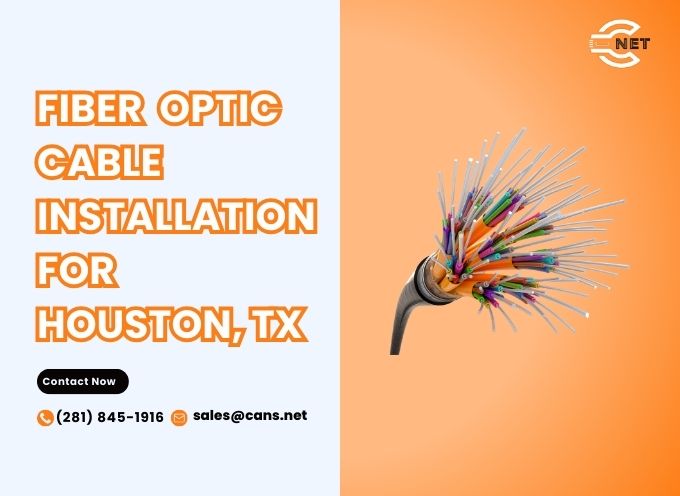
What does fiber optic cable look like?
Fiber optic cable typically appears as a thin, flexible strand, often covered with a protective plastic or glass layer. The core is surrounded by cladding, which reflects light signals within the cable. When bundled, they may resemble traditional cables but can be lighter and smaller.
How do fiber optic cables work?
Fiber optic cables transmit data as light signals through a glass or plastic core. Light signals bounce off the walls of the core via total internal reflection, enabling data transfer over long distances at high speeds. This allows for efficient communication with minimal signal loss.
What is fiber optic cable?
Fiber optic cable is a type of cable made from thin strands of glass or plastic that carry data as light. It is used for high-speed internet and telecommunications, enabling faster data transmission rates than traditional copper cables. Fiber optics support various applications, including internet, TV, and phone services.
Installing and managing fiber optic cabling is a meticulous process that requires careful attention to detail and adherence to best practices. Understanding the advantages and disadvantages of fiber optics, as well as key networking essentials, is crucial for network administrators and enthusiasts. With the right knowledge and equipment, you can enjoy the benefits of high-speed, secure, and reliable data transmission through fiber optic networks.